
AI meeting recorder multilingual support accuracy: What the language count doesn't tell you

Table of Contents:
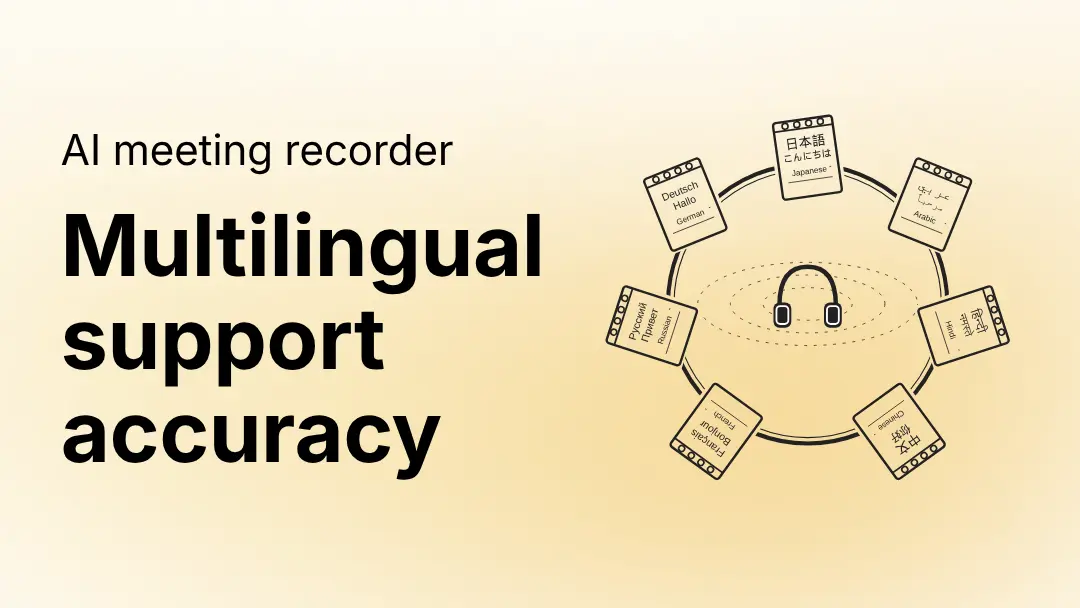
Most AI meeting recorders advertise language counts, 30, 60, 100+, but that number tells you almost nothing about real-world accuracy. This guide breaks down the four layers where multilingual transcription accuracy actually varies, why language switching mid-meeting is the hardest problem no tool has fully solved, and six tests to run before rolling out any AI meeting recorder to a global team.
You've probably seen the claim before: "supports 80 languages." Every major AI meeting recorder says some version of it. Gong advertises transcription in 70+ languages. Krisp claims up to 96% accuracy across 16+ languages. Fathom promises 80%+ accuracy across 38 languages.
What none of them tell you is that these numbers measure different things in different conditions and that AI meeting recorder multilingual support accuracy varies dramatically depending on which language, which meeting type, and whether your speakers ever switch languages mid-call.
If your team runs meetings in Japanese, Hebrew, Korean, or Portuguese, the headline number is not the evaluation that matters. What matters is accuracy at each layer of the product, tested on your actual meetings.
What does "multilingual support" actually mean in an AI meeting recorder?
Multilingual support in an AI meeting recorder exists across four distinct layers, each with its own accuracy curve. A tool can legitimately claim support for a language while delivering a noticeably worse experience at two or three of those layers without ever disclosing it.
The practical consequence: You run a two-week trial in English, roll out globally, and only discover at month two that your Tokyo team's meetings produce unusable transcripts with no AI notes and search that returns nothing. The evaluation framework below is designed to catch exactly that before it happens.
Why does language switching break AI meeting recorder accuracy?
Language switching mid-meeting, where speakers shift between languages within a conversation, sometimes within a single sentence, is the hardest multilingual accuracy problem in AI meeting recorders today. No tool handles it without tradeoffs.
This is more common than vendor documentation acknowledges. Three examples of how it plays out in practice:
Singapore product team: English for feature names and technical concepts, Mandarin for internal debate. If the recorder is configured for English, Mandarin segments appear as garbled phoneme approximations or get skipped. The extracted action items are incomplete because the most substantive discussion happened in segments the tool couldn't process.
Israeli SaaS team on a customer call: English with the customer, Hebrew for internal asides. If the recorder is configured for Hebrew, the customer's English is transcribed poorly. If configured for English, the Hebrew asides are garbled. The question becomes which failure mode is least damaging for your workflow, not which tool avoids the problem entirely.
German-Dutch cross-border sales call: Participants drift between German, Dutch, and English. A recorder configured for German will mis-transcribe Dutch segments, the languages are linguistically close but distinct, and the transcript becomes a patchwork of correct and incorrect segments with no indication of which is which.
Knowing how a tool fails in your specific language-switching scenario is more useful than knowing its advertised language count. Build your evaluation around this scenario first.
How should you evaluate AI meeting recorder multilingual accuracy before buying?
Run these six tests during any trial or proof of concept. They cover each layer where accuracy varies, transcription, speaker identification, AI notes, and search, and specifically address the language-switching scenario most vendors never mention in their documentation.
Test 1: Run your actual meetings, not synthetic recordings
Vendors sometimes optimize demo environments for specific languages. The only meaningful test is a real meeting in your target language with your actual speakers, your industry vocabulary, your audio setup reviewed as a transcript you'd share with a colleague. A 45-minute sales call in Hebrew should produce a transcript you'd be comfortable sending as a meeting record.
Test 2: Test language switching directly
If your team switches languages in a single meeting, run exactly that scenario. Record a meeting where participants shift between your primary language and English (or two non-English languages) and review how the transcript handles transitions. Look specifically for silent mis-transcription, where the transcript looks plausible but is wrong, which is harder to catch than obvious garbling and more damaging to downstream AI note quality.
Test 3: Evaluate AI note quality independently from transcription
Even when transcription is acceptable, AI note generation in non-English languages can degrade separately at the summarization layer. After running a real meeting through the tool, check: are action items extracted correctly? Do the AI-generated categories reflect what was actually discussed? Are notes produced in the meeting language or translated to English without warning?
Test 4: Check speaker attribution in a multilingual recording
In a recording with multiple speakers across languages, count how many segments are correctly attributed vs. labelled generically as "Speaker 1." Check whether the tool uses voiceprint-based speaker identification, which matches speakers by voice signature regardless of language, or audio pattern recognition, which degrades when speakers switch. Specifically test a speaker who appears in two languages in the same call.
Test 5: Search for a phrase from a non-Latin script meeting
After transcribing a meeting in Arabic, Hebrew, Japanese, Korean, or Chinese, search for a keyword from that meeting. Does the search return the correct segment? Non-Latin scripts require different search indexing, this is where many AI meeting recorders fail silently. The transcript exists. The search result does not.
Test 6: Test domain vocabulary, not just conversational speech
Technical terms, product names, and acronyms that don't appear in a model's training data will be mis-transcribed regardless of language. Run a meeting that includes your actual product names, internal terminology, and industry jargon. The question is not whether errors occur, they will, but whether the error rate is tolerable for your use case.
The right accuracy bar is not a perfect transcript. It is a transcript accurate enough to generate reliable AI notes, extract action items, and serve as a searchable record. Most major AI meeting recorders reach 85–90% accuracy in well-resourced languages. That threshold is enough to save your team significant time even with occasional manual correction.
Questions to ask any AI meeting recorder vendor
Use these in vendor conversations to pressure-test multilingual accuracy claims beyond the headline numbers.
On transcription accuracy:
- What word error rate do you achieve in [target language] vs. English, on your own benchmarks?
- Do you have customers using the tool for [target language] in production? Can we speak to one?
On AI notes and summarization:
- Are AI notes generated in the meeting language or translated to English?
- If a meeting contains two languages, how are notes handled?
On speaker identification:
- Does your speaker identification use voiceprints or audio pattern matching?
- How does attribution perform when a speaker switches languages mid-meeting?
On search:
- How does your search index handle non-Latin scripts?
- If I search for a phrase from a Japanese meeting in Japanese characters, will it return results?
On configuration:
- Is language support an org-level setting, per-user, or per-meeting?
- If we have offices in three language regions, how do we configure the tool for all three?
How should global teams configure a multilingual AI meeting recorder?
Configuration decisions matter as much as the tool's baseline accuracy. Here are four common global team setups and the recommended approach for each.
How Avoma handles multilingual accuracy
Avoma is built to support truly global teams, with multilingual capabilities that go far beyond basic transcription. From accurate speech recognition to language-aware notes and search, it ensures seamless collaboration across diverse languages and scripts.
What multilingual transcription accuracy does Avoma offer?
Avoma transcribes in 60+ languages and dialects. It includes full Chinese variant coverage (Simplified, Traditional, Cantonese, Mandarin), South Asian languages (Hindi, Kannada, Telugu, Marathi, Tamil, Urdu), and less commonly supported languages including Swahili, Tagalog, Welsh, and Afrikaans. Transcripts are produced in the meeting language using native scripts. Arabic, Hebrew, Japanese, Korean, Chinese, Thai, Hindi, and others are transcribed in their native writing systems, not transliterated.
How does Avoma handle speaker identification across languages?
Avoma uses two mechanisms. Voiceprint identification uses a 45-second voice sample each user records in their account, the model identifies the speaker by voice signature regardless of which language they're speaking, so a user is attributed correctly whether speaking English, Hebrew, or Japanese in the same call. OCR identification reads the active speaker name displayed on the conferencing platform screen, which is also language-independent.
Does Avoma generate AI notes in the meeting language or in English?
AI notes are generated in the meeting language by default, with turnaround within two minutes of the meeting ending for bot-recorded meetings. Teams who need English summaries of non-English meetings can request this as an org-level configuration by contacting support at help@avoma.com.
Does Avoma's search work in non-Latin scripts?
Yes. Search covers non-Latin scripts including Arabic, Hebrew, Japanese, Korean, Chinese, Thai, Hindi, Tamil, Telugu, Kannada, Marathi, and Urdu. Multi-language support is enabled at the org level by contacting the support team. It is part of Avoma's core offering, not a paid add-on.
What no AI meeting recorder gets right yet
Multilingual AI meeting recorders have improved rapidly, but accuracy still varies depending on the language and context. Understanding these limitations helps set realistic expectations and evaluate tools more effectively.
What are the current accuracy limits of multilingual AI meeting recorders?
No tool has fully solved multilingual transcription accuracy. The honest picture across the category:
English accuracy is highest across all major AI meeting recorders. This is a function of training data volume, not vendor choice, and it applies to every tool in the market.
Major languages with large training corpora like Spanish, French, German, Japanese, Mandarin, Korean, Portuguese, Arabic, perform well in most meeting scenarios.
Lower-resource languages have more variance. Languages like Swahili, Tagalog, Kannada, and Welsh are supported by several tools but show higher error rates than major European and East Asian languages, particularly on domain-specific vocabulary.
Mid-sentence language switching remains unsolved. The practical mitigation is structuring meetings so language switches happen at natural segment breaks, a question in one language, answered in another, rather than within sentences.
Evaluate AI meeting recorder multilingual accuracy against a utility bar, not perfection. A transcript at 85–90% accuracy in your primary language will generate reliable action items, reduce note-taking time, and serve as a searchable record. That threshold is achievable today in most major languages. It's the bar to test against during any trial.
Getting started
If you're evaluating Avoma for a global team deployment, start a 14-day trial, enable multi-language support from day one, and run your actual meeting types through the tool before the trial ends.
To enable multi-language support, contact help@avoma.com with your primary working language(s), any secondary languages, and the meeting scenarios where language switching is common.
To get a walkthrough for your specific language combination before committing to a rollout, book a demo and mention your language requirements upfront.
Frequently Asked Questions
Accuracy varies by language. For major languages with large training datasets — Spanish, French, German, Japanese, Mandarin, Korean, Portuguese, Arabic — most leading AI meeting recorders reach production-quality accuracy. For lower-resource languages, accuracy varies more across tools. The only reliable test is running your actual meeting type in your target language during a trial and reviewing the transcript against your own quality bar.
Avoma transcribes in the meeting language and generates AI notes in the meeting language by default. Teams who need English summaries of non-English meetings can request this as an org-level configuration by contacting support at help@avoma.com.
Language configuration in Avoma is currently an org-level setting. For organisations with multiple language regions, the typical approach is to enable all relevant languages org-wide and let the transcription engine handle each meeting based on audio content. Contact support to discuss the optimal setup for your configuration.
Avoma's Voiceprint mechanism identifies speakers by acoustic voice characteristics, not by language. A user who has set their Voiceprint will be correctly attributed in meetings regardless of which language they are speaking.
The transcription engine handles the primary configured language accurately and produces lower accuracy for segments in other languages. For teams where this is common: enable multi-language support org-wide, ensure all participants have set their Voiceprint, and edit transcripts for high-stakes meetings before sharing.
No. Multi-language support is part of Avoma's core offering.
Yes — Arabic, Hebrew, Japanese, Korean, Chinese (Simplified and Traditional), Cantonese, Thai, Hindi, Tamil, Telugu, Kannada, Marathi, and Urdu are all supported. Transcripts are produced in native script, not transliterated. Search works in these scripts as well.


Dive into Our Latest
Avoma Insights.


What's stopping you from turning every conversation into actionable insights?


