
Best lead routing software: Stop losing pipeline to slow follow-up

Table of Contents:
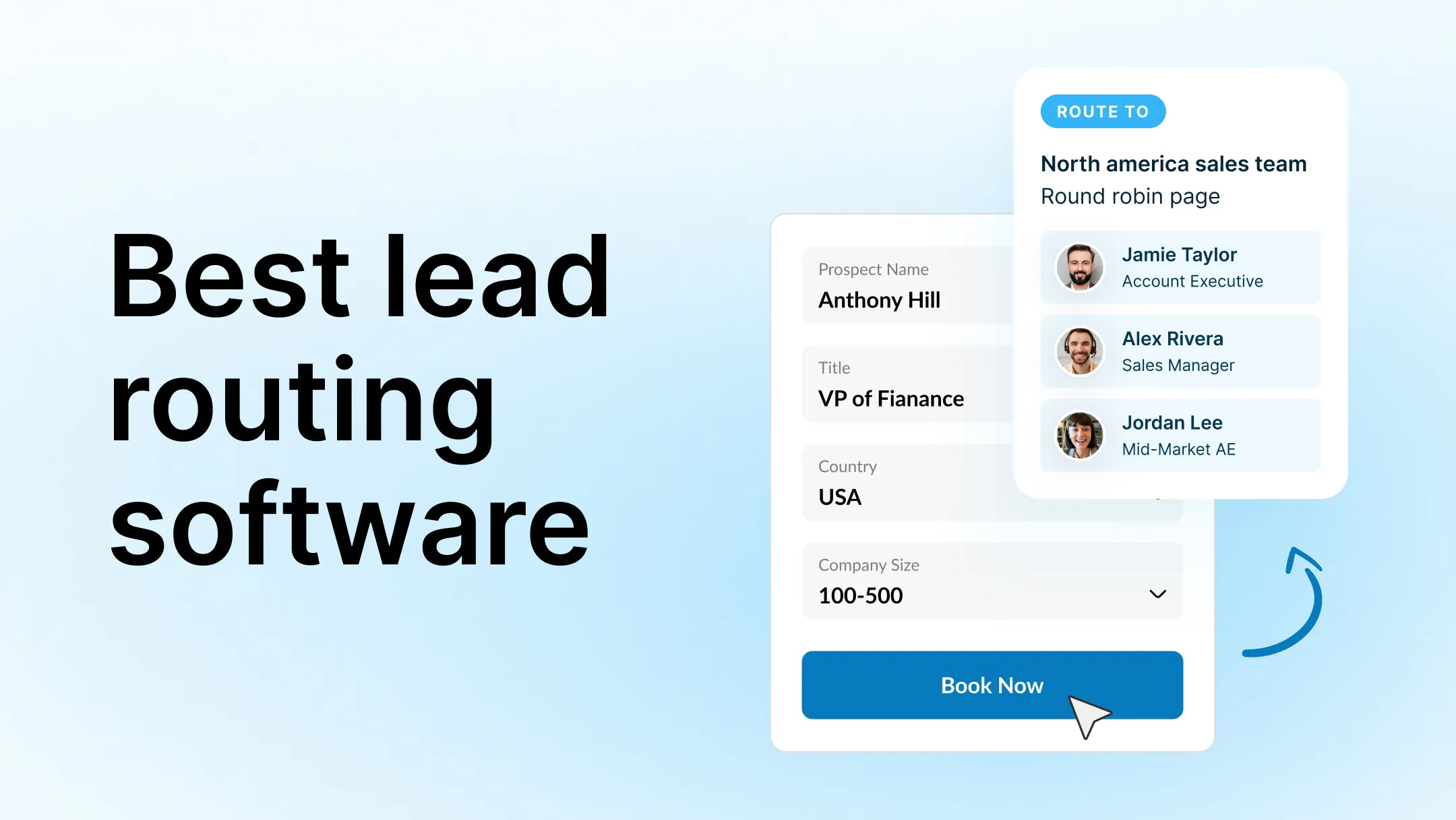
Most teams losing pipeline to slow follow-up don't realize routing is the problem. Inbound volume looks healthy, activity stays high, and pipeline still comes in light. The miss is rarely effort. It is timing.
When a lead waits, the odds of qualifying it drop. When qualification drops, meeting volume follows. When meeting volume drops, pipeline coverage thins. By the time it shows up in forecast, the damage is done.
Lead routing software fixes this by keeping lead assignment fast, ownership consistent, and SLA tracking visible even as routing rules get more complex. This article covers what lead routing software actually is, where routing breaks down, and which tools fix which problems.
TL;DR: Best lead routing software for protecting speed to lead
Lead routing software is needed whenever response time materially impacts revenue. If speed to lead affects qualification, meetings, and pipeline, routing is not an ops workflow. It is revenue control.
- LeanData: Best for complex enterprise Salesforce routing
- Chili Piper: Best for inbound form to meeting speed
- Distribution Engine: Best for extending Salesforce assignment rules
- HubSpot native routing: Best for small teams with simple routing logic
- Avoma Scheduler and Lead Router: Best for routing tied directly to meetings and SDR to AE handoffs
If response time slipped by an hour tomorrow, would you spot it in real time or after the month closes?
Why speed to lead drops as you scale
Speed to lead drops as you scale because routing adds friction faster than most systems add control. Every new rule, territory, and exception introduces delay in either assignment or first touch, and that delay compounds across volume.
The usual culprits show up in the same places.
Round robin slows down in real life
Round robin lead assignment looks fair until reality hits. Reps take PTO. Someone is in back to back demos. Another rep is drowning in follow ups. The router still distributes leads evenly, but your team does not have even capacity.
So leads get assigned quickly but they do not get worked quickly. From a pipeline perspective, that still counts as slow.
Rep overload creates hidden queues
When inbound spikes, the first sign is not always a missed SLA. It is a quiet backlog. Leads land in the right owner, but that owner is already behind. If you only look at assignment timestamps, you miss it. What matters is time to first touch.
Territory rules create conflict and delay
Territories are rarely clean. A lead can match a geo rule, a segment rule, and an account ownership rule at the same time. When rules overlap, teams end up with:
- Leads bouncing between owners
- Manual reassignments
- Slack threads to resolve who owns what
Every handoff burns time and attention.
Enterprise account matching is a common failure point
Enterprise routing is not just lead based. It is account based. If you need to check existing account ownership, parent child relationships, open opportunities, or current customer status, routing logic gets heavier.
If that match is slow or inconsistent, you see two outcomes: the lead sits longer, or it goes to the wrong rep and gets rerouted later.
Manual overrides break automation
The more exceptions you add, the more humans step in. A manager reassigns a lead for a “quick follow up.” An SDR swaps a lead because they know the account. RevOps patches a workflow. Each move creates a new path that is not tracked cleanly, and SLA tracking becomes harder to trust.
Speed to lead does not drop because teams stop caring. It drops because routing becomes a system of workarounds.
Next up, we will look at the moment most teams hit: where CRM native routing starts to crack.
CRM native routing starts to crack
CRM native routing starts to crack when routing becomes more than “assign the lead.” Once you need territory logic, ownership checks, exceptions, and SLA follow through, the system turns into a patchwork.
- Workflow sprawl: Routing logic gets spread across workflows, queues, field updates, and exceptions. You can still “make it work,” but no one can explain the full path without tracing it step by step in the CRM.
- No real SLA enforcement: The CRM can assign a lead, but assignment is not the same as first touch. Native setups rarely enforce time to first touch, escalate when a lead sits, or re route when the owner is overloaded.
- No alerting when leads sit: If a lead waits for 2 hours, there is often no real time signal. You find it in a weekly dashboard or after pipeline misses, when the moment is gone.
- No visibility into assignment gaps: When a lead does not route cleanly, the failure is usually silent. Missing fields, rule conflicts, and manual overrides create gaps that are hard to diagnose fast.
If a lead sits for 2 hours, who knows?
Next up, we will map what modern lead routing software must do to protect speed to lead.
What modern lead routing software must do
Modern lead routing software must protect speed to lead by handling assignment, ownership, and follow up as one system. If it only moves leads around, it is lead assignment software. If it controls response time and accountability, it is revenue infrastructure.
- Real time automated assignment: Route the moment a lead hits your system, not on a batch delay and not after a manual check.
- Account aware routing logic: Match leads to the right owner based on CRM contact and account ownership, parent child relationships, open opportunities, and customer status.
- Equal or weighted distribution: Support round robin lead assignment that reflects reality, not theory. Weight by capacity, segment, or performance, and adapt when coverage shifts.
- SLA tracking and escalation: Track time to assignment and time to first touch. Alert when leads sit. Escalate when SLAs break. Re route when needed.
- Smart prioritization: Prioritize based on intent, fit, and source so your fastest response goes to the leads that create the most pipeline.
- Reporting on routing performance: Show where time is lost, which rules create delays, and how routing affects conversion to meeting and meeting to pipeline.
If your current setup cannot tell you “who owned this lead, when it was worked, and why it waited,” you do not have routing. You have distribution.
If you want lead routing tied to booked meetings (not just lead assignment), look at Avoma Scheduler and Lead Router. It supports real time routing, round robin scheduling, ownership checks, and SDR to AE handoffs, with pricing listed at $19 per seat per month billed annually for the Lead Router add on.
Next up, we will look at lead routing software tools to consider and where each one fits.
Best lead routing software tools to consider
1. LeanData

Description: Lead to account matching and routing built for complex Salesforce environments.
Best for: Complex enterprise Salesforce environments
Replaces: Salesforce flow sprawl plus manual account matching
Pros
- Strong account based routing and territory logic inside Salesforce
- Designed for teams with enterprise ownership rules
Con: Heavier implementation and ongoing admin overhead (you need clean Salesforce logic)
Pricing: Pricing is not listed publicly, sold via packaging and demo
Tradeoff: Great when Salesforce is the system of record for everything, but it is a commitment.
2. Chili Piper
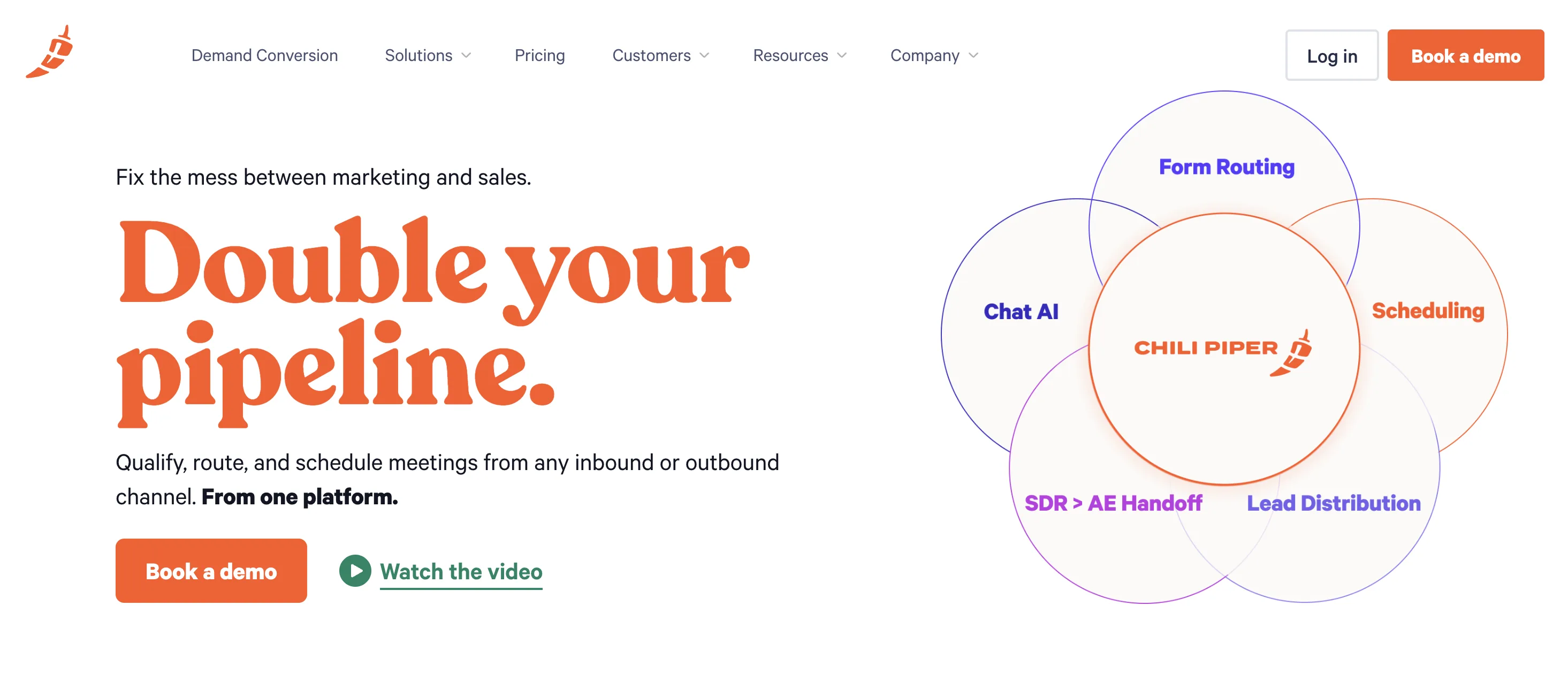
Description: Inbound conversion and scheduling focused on getting from form fill to meeting faster.
Best for: Inbound teams optimizing form to meeting speed
Replaces: Email back and forth plus slow handoffs after inbound forms
Pros
- Strong for instant booking and faster inbound response
- Modular pricing by product, so you buy what you use
Cons: Platform fee applies, and some fees vary by product and lead volume
Pricing: Per user pricing starting at $30 per month plus a tiered platform fee based on inbound lead volume.
Tradeoff: Best when the goal is speed to booked meeting, not complex account ownership routing.
3. Distribution Engine (Salesforce native)
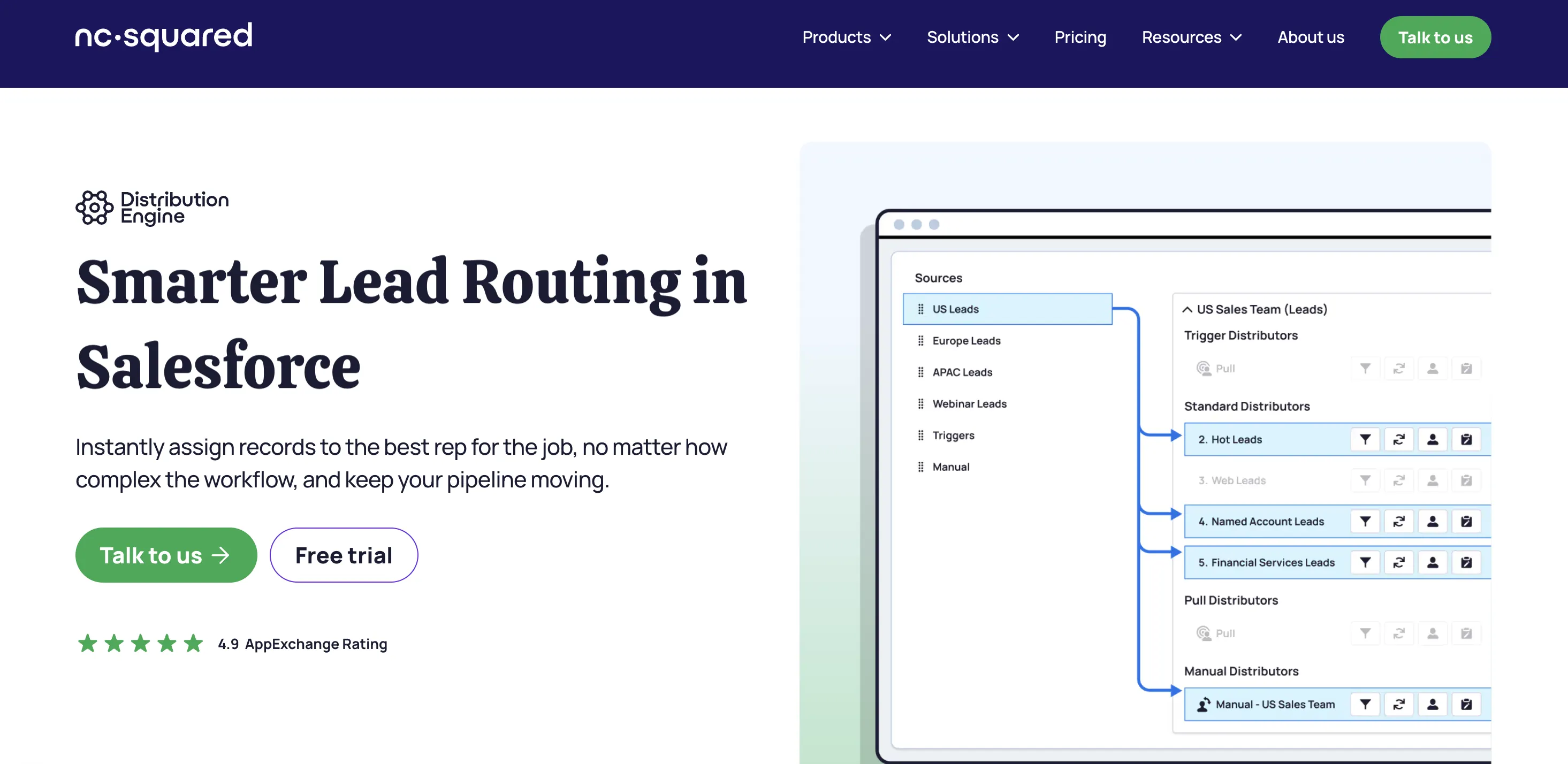
Description: Salesforce native routing for leads and other objects, built for no code assignment logic inside Salesforce.
Best for: Salesforce power users who want more control inside the CRM
Replaces: Standard Salesforce assignment rules when you need smarter distribution
Pros
- Salesforce native, routing stays inside your CRM
- Clear tiered pricing and a free trial
Cons: Your routing quality is limited by Salesforce data quality and field hygiene
Pricing: Tiered plans are listed on their pricing page that start from $20 per user per month
Tradeoff: More power without leaving Salesforce, but it does not remove Salesforce complexity.
4. HubSpot native routing
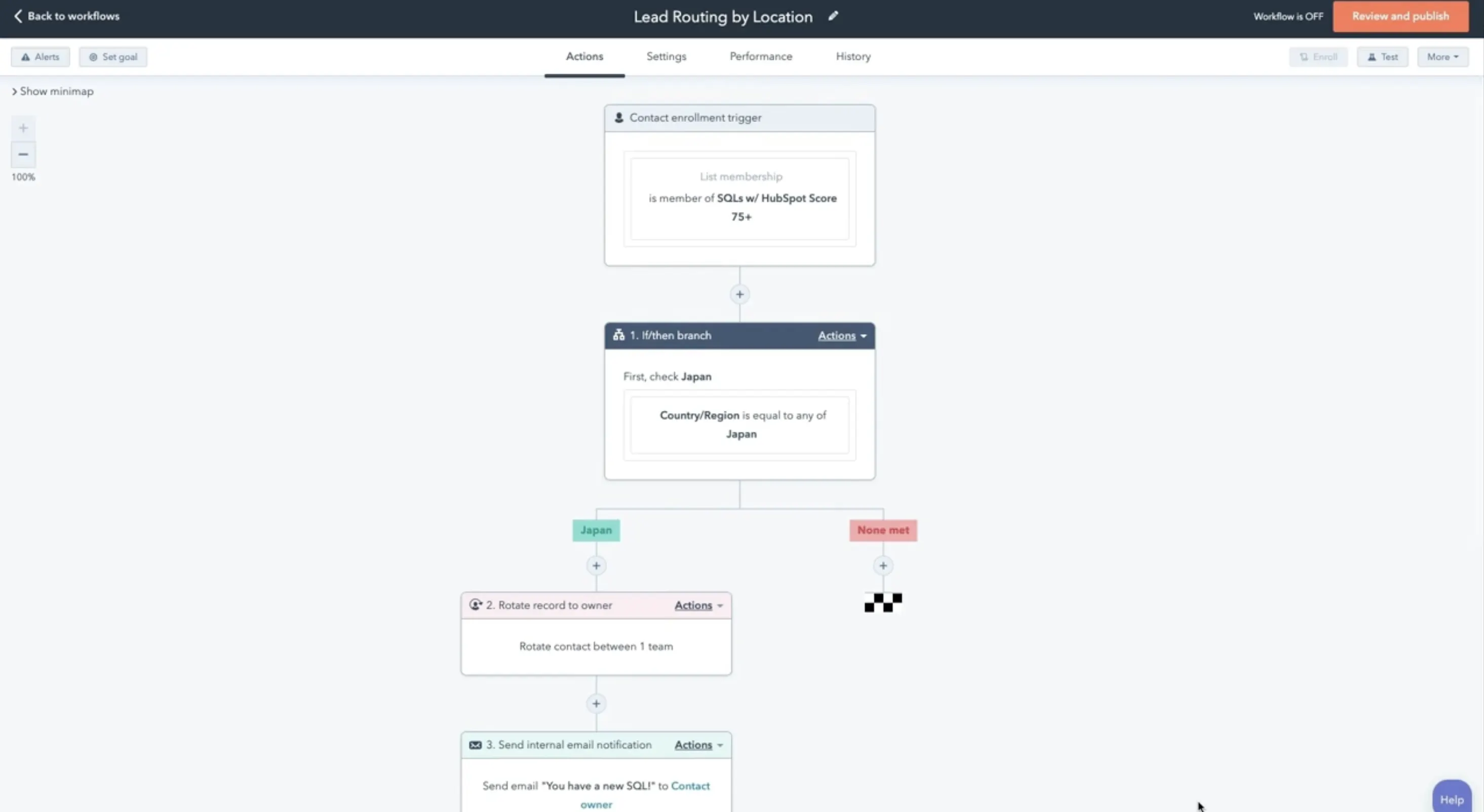
Description: Lead routing using HubSpot workflows and assignment logic inside HubSpot.
Best for: Smaller teams with simple routing logic. Learn about how to create a lead routing workflow in HubSpot.
Replaces: Manual lead assignment
Pros
- Works fine early when territories and ownership rules are simple
- Keeps everything inside HubSpot
Cons: As complexity grows, you often hit gaps in SLA enforcement, alerting, and visibility into leads that sit
Pricing: Workflow heavy automation is tied to paid tiers like Sales Hub Professional which starts at $130 per user per month.
Tradeoff: Clean and contained early, then brittle when routing becomes account aware and SLA driven.
5. Avoma scheduler and lead router
Description: Scheduling plus lead routing that sends buyers to the right rep and helps teams track outcomes tied to meetings.
Best for: Teams that want routing plus scheduling tied to meeting outcomes
Replaces: A scheduling tool plus custom routing workflows that do not connect to meetings
Pros
- Routes from form or CRM data and supports ownership checks
- Good for SDR to AE handoffs where the goal is faster booking
Cons: If you only need CRM object routing and do not care about scheduling or meeting flow, it may be more than you need
Pricing: Avoma lists its base plan pricing on its pricing page; Lead Router is positioned as an add-on for $19 per seat per month, billed annually.
Tradeoff: Strong when speed to meeting is the KPI, not just speed to assignment.
Want a real example of routing breaking as a team scales? HiHello tried to solve routing inside HubSpot, moved to Chili Piper, then switched to Avoma’s integrated lead routing and scheduling and rolled it out page by page before canceling Chili Piper.
When CRM routing is enough and when it is risky
CRM routing is enough when your routing rules are stable and response time is not a revenue lever. The risk shows up when response time affects conversion and routing depends on ownership, territories, and exceptions that change every quarter.
When CRM routing is enough
CRM lead routing is usually enough if you have:
- A small team with consistent capacity
- Simple territories that do not overlap
- Low inbound volume where delays do not pile up
- No strict SLA tied to time to first touch
- Minimal account matching and few edge cases
In this setup, lead assignment software inside the CRM can keep up.
When it becomes risky
Dedicated lead routing software becomes necessary when:
- Speed to lead impacts revenue and you need speed to lead automation you can measure
- Enterprise lead routing depends on account ownership and matching logic
- Routing rules exceed round robin lead assignment and require prioritization or weighting
- You need sales SLA tracking with alerts and escalation, not just reporting
- You have hybrid inbound and outbound and need clean SDR to AE handoffs
If you cannot see time to first touch and enforce it, you are not managing routing. You are hoping reps keep up.
Next up, we will walk through a practical way to evaluate lead routing software without turning it into a three month project.
How to evaluate lead routing software
You evaluate lead routing software by measuring real response time, finding where delay enters the process, then testing whether a tool can remove that delay without breaking ownership rules. The goal is not “better routing.” The goal is faster first touch with clear accountability.
1. Measure real response time, not what the CRM says
Start with two timestamps:
- Time to assignment: when the lead gets an owner
- Time to first touch: when a rep actually reaches out
Most teams track the first one. The second one is what moves conversion.
2. Map where leads stall
Pick a small sample: 50 to 100 recent inbound leads.
For each one, look at:
- Did it route on the first try
- Did it get reassigned
- How long it sat before first touch
- What rule decided the owner
You are not hunting for one “bug.” You are finding patterns that create delay.
3. Write your SLA in one sentence
A good SLA is simple enough that sales and RevOps agree on it.
Example: “Inbound demo requests must get a first touch within 10 minutes during business hours.”
If you cannot state it cleanly, you cannot enforce it.
4. Stress test for growth and edge cases
Ask: what changes if any of these happen next quarter?
- Inbound volume doubles
- You add a new region
- You split territories by segment
- You introduce named accounts
- You add an AE handoff step
If your routing breaks under any of those, you do not have a scalable system.
5. Check for accountability and proof
When you review tools, pressure test for these outputs:
- Can it alert when a lead sits
- Can it escalate or re route based on SLA
- Can it report which rule caused delay
- Can it show routing performance tied to meetings and pipeline
If the tool cannot tell you where time is lost, it will not protect speed to lead.
Next up, we will close with the core idea: speed is fragile, and routing is where it quietly gets lost.
If speed to lead is a revenue lever in your funnel, stop treating routing as a background workflow. Put a system in place that tracks routing performance and protects time to first touch, then scale the rules without losing control.
Book an Avoma demo to see how Lead Router handles real-time assignment, ownership checks, and SLA visibility in your setup.
Frequently Asked Questions
LeanData handles lead to account matching and territory-based routing inside Salesforce at a level that native assignment rules cannot support. It checks existing account ownership, parent-child relationships, open opportunities, and customer status before routing. Salesforce native routing assigns leads based on simple criteria. LeanData adds ownership logic, matching depth, and routing governance for enterprise environments.
Chili Piper combines inbound lead routing with real-time meeting scheduling. A standard scheduling tool books meetings but does not route leads based on territory, segment, or account ownership. Chili Piper triggers routing logic at the moment of form submission and converts that lead into a booked meeting instantly, reducing the gap between inbound interest and first sales conversation.
Distribution Engine is a Salesforce-native app that replaces standard assignment rules with no-code routing logic. It supports weighted distribution, capacity-aware assignment, and object-level routing beyond leads. Standard Salesforce assignment rules handle basic criteria matching but lack SLA enforcement, escalation logic, and visibility into leads that sit without first touch.
Avoma Lead Router is appropriate when the primary KPI is speed to booked meeting. It combines routing logic with scheduling, supports SDR to AE handoffs, and connects routing outcomes to meeting data. Teams that need CRM object routing without a scheduling component may find a standalone routing tool more aligned to their workflow.
HubSpot native routing works for small teams with simple territory rules and low inbound volume. As routing complexity grows to include account ownership checks, SLA enforcement, and escalation logic, HubSpot workflows become brittle. Teams with enterprise-level routing requirements typically move to dedicated tools like LeanData or Distribution Engine that are built for ownership-aware assignment at scale.
Lead to account matching directly affects pipeline accuracy by ensuring inbound leads are routed to the rep who owns the account. Without matching, leads from active opportunities or existing customers reach the wrong rep, creating ownership conflicts, rerouting delays, and gaps in pipeline attribution. LeanData is specifically built to handle this matching layer inside Salesforce.
Avoma combines conversation intelligence and revenue intelligence in one platform. When lead routing is tied to meeting outcomes, Avoma can surface whether routed leads resulted in quality discovery calls, flag objection trends, and identify stakeholder gaps. This connects routing performance to deal quality, not just assignment speed, giving managers a clearer view of where pipeline is won or lost early.
Chili Piper supports routing based on territory, segment, and account ownership in addition to form fills. It handles inbound scheduling for demo requests, live chat handoffs, and event follow-up flows. Its modular pricing structure allows teams to deploy specific products without adopting the full platform, making it flexible for inbound-heavy teams optimizing specific conversion points.
Distribution Engine routing quality depends directly on Salesforce data quality and field hygiene. If account ownership fields, territory assignments, or contact records are incomplete or inconsistent, routing logic will produce incorrect assignments regardless of how well the tool is configured. Before implementing Distribution Engine, teams should audit Salesforce field completeness and establish data governance standards.
Clari operates at the forecast and pipeline inspection layer, aggregating engagement signals, deal movement, and CRM data to identify risk. Lead routing software operates at the top of the funnel, controlling assignment speed and ownership accuracy. The two serve different functions. Clari identifies which deals are at risk after they enter the pipeline. Lead routing software controls whether qualified leads reach the right rep before pipeline is created.


Dive into Our Latest
Avoma Insights.




What's stopping you from turning every conversation into actionable insights?


