
MCP-powered meeting intel for AI revenue workflows
Avoma's AI meeting notetaker MCP server connects Claude and ChatGPT directly to your transcripts, notes, scorecards, and deal outcomes, so your AI workflows runs on meeting intelligence.




Your AI is smart. It just can't see your meetings.

Meeting knowledge stays trapped
You've become the context pipeline
AI can read your meetings but can't do anything with them
Messy meeting data breaks reporting downstream
What Avoma MCP lets your AI assistant do
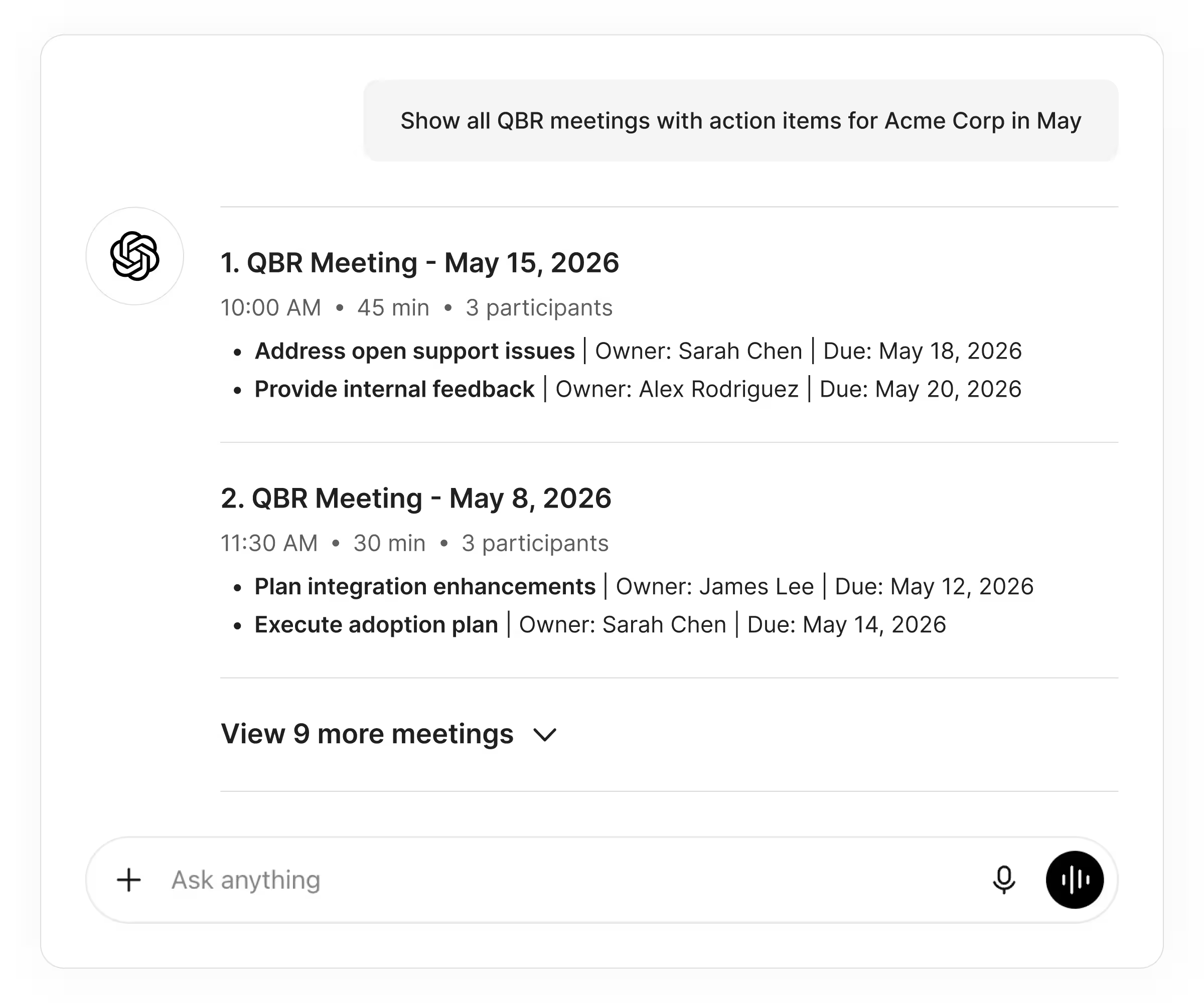
Search and surface meeting data instantly
Claude or ChatGPT can fetch any meeting's transcript, notes, summary, or action items by account, rep, date, or topic, in seconds. Ask Avoma is now also available via MCP and External API, so you can ask natural language questions across your meeting history without opening Avoma.
- Pull full transcripts by meeting or account
- Retrieve AI-generated notes and action items
- Search meetings by participant, topic, or outcome
- Ask natural language questions like "What pricing objections did Acme mention on our last three calls?"
Turn meeting patterns into coaching intel
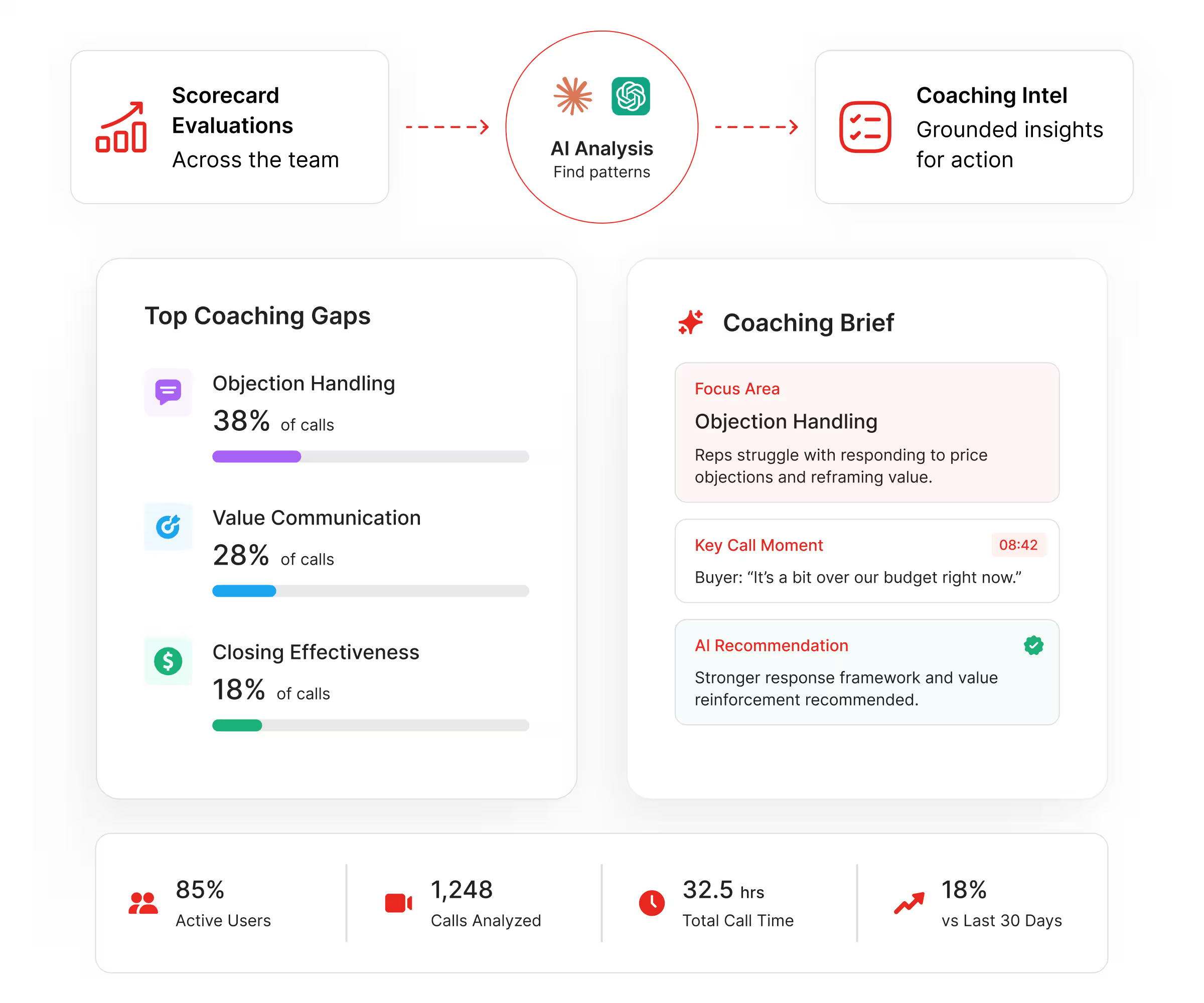
Your AI reads scorecard evaluations across the team, finds who's struggling with specific call moments, and delivers a grounded coaching brief. No list of recordings to manually review.
- Access call scoring results across reps
- Identify coaching gaps tied to real calls
- Track team usage and meeting engagement metrics
Update meeting records without human intervention
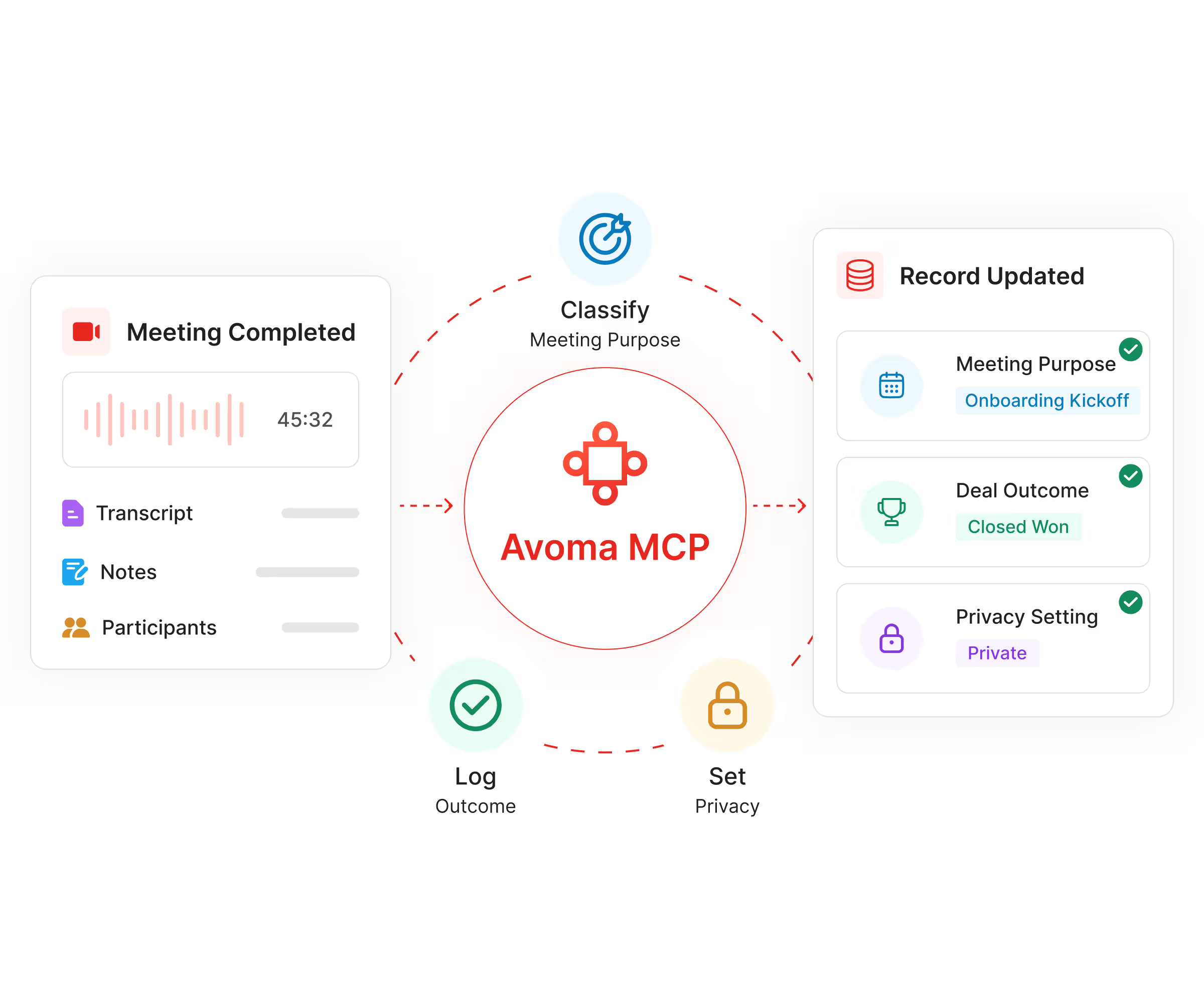
Avoma MCP lets AI agents classify meetings, log outcomes, and set privacy, keeping your data clean and your pipeline reporting accurate.
- Set meeting purpose (Discovery, Demo, QBR, Renewal)
- Log deal outcomes (Closed Won, Lost, Renewal, No Show)
- Enforce privacy settings as calls complete
Connect meeting intel to tools in your workflow
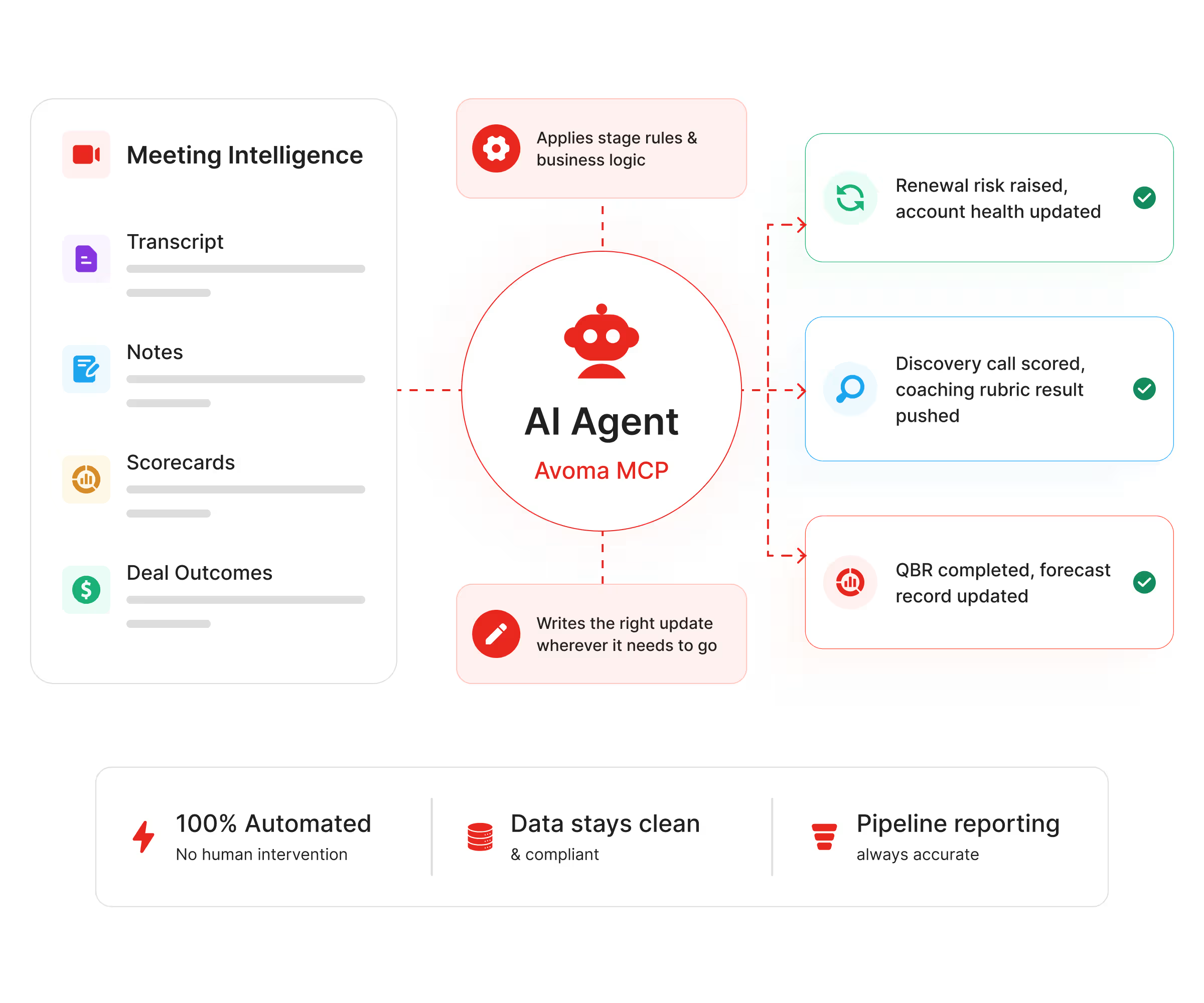
Pair Avoma MCP with your agent and any downstream tool. The agent reads the call, applies your stage rules, and writes the right update, wherever it needs to go.
- Renewal risk raised, account health updated in your CS platform
- Discovery call scored, coaching rubric results pushed to your enablement tool
- QBR completed, forecast record updated in your revenue tool
Get visibility into every AI tool connected to Avoma across your organization
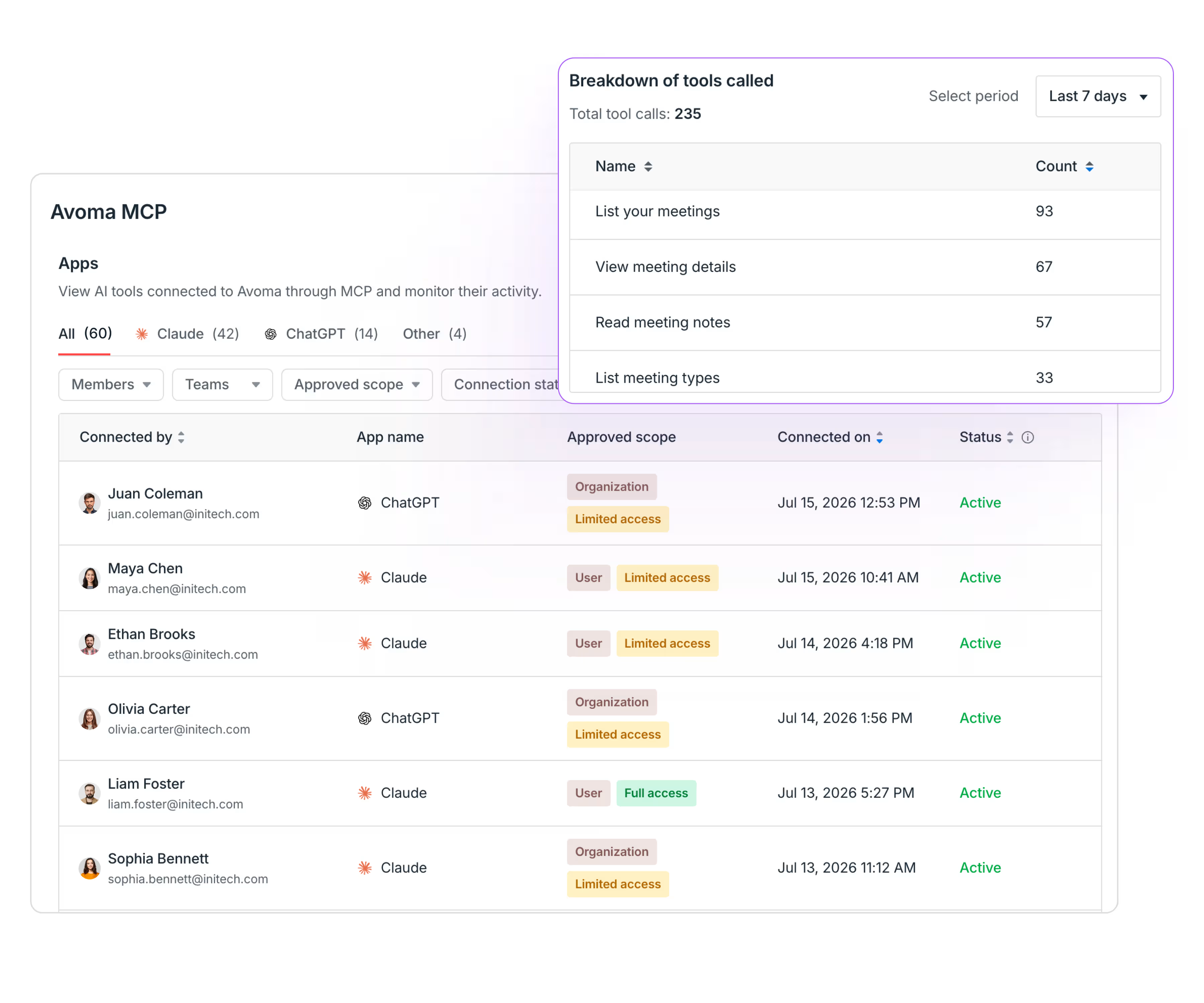
A dedicated MCP page in Settings shows your whole organization who's connected Avoma to Claude, ChatGPT, or other AI tools, and how they're using it.
- See who connected, their access level, connection date, and Active/Inactive status
- Filter by member, team, app, scope, or status
- View tool usage metrics including total calls and breakdown by tool (list meetings, read notes, read transcripts)
- Copy the MCP server URL and jump to Claude/ChatGPT setup guides
62%
Up to 90%
5 distinct tools
Connect Avoma to your AI in minutes
Check the setup guide. The setup is little different based on your AI tool (ChatGPT or Claude) and your role (workspace admin or team member). Once an admin publishes the connector, each user simply connects their Avoma account to start accessing and updating meeting data directly from their AI chat.
Once connected, your AI can retrieve transcripts, pull notes, search past meetings by account or topic, and surface scorecard data from a single question. The AI meeting notetaker MCP server sits inside your Avoma revenue intelligence stack, so context flows across recording, coaching, and deal tracking.
With write access enabled, agents classify meetings, log outcomes, set privacy, and push interpreted intel to downstream tools as calls complete. Define the rules once in your agent config. Every call that follows gets handled the same way, with no rep input required.
More of what Avoma connects
Teams already building with Avoma MCP
Frequently asked questions

What's stopping you from turning every conversation into actionable insights?
