Connect Avoma with HubSpot to capture customer conversations and keep your CRM current.
Sync AI meeting notes, call notes, CRM fields, deal stages, contacts, and supported email activity with HubSpot. Give Sales and Customer Success teams the context they need without adding more CRM work after every call.
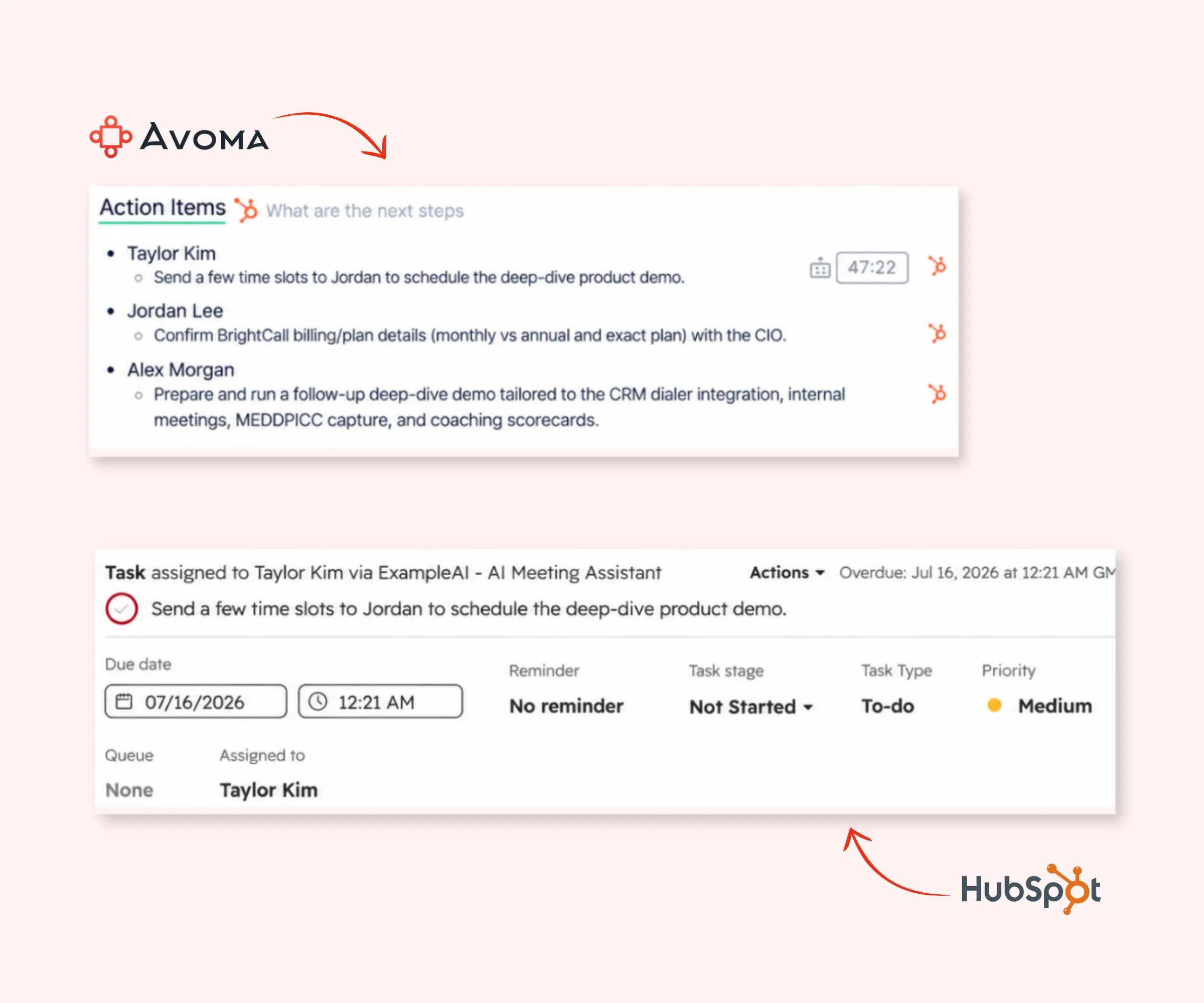
Automatically send Avoma meeting and call notes to the HubSpot records your team already uses.
Meeting notes can sync to HubSpot Notes or Meetings and attach to related CRM records. Call notes can sync to HubSpot Notes, Meetings, or existing Call records.
Avoma can also automatically create a HubSpot Meeting when a meeting is created in Avoma through calendar sync or as an impromptu external meeting.
Your reps finish the conversation with the context captured in HubSpot, without manually copying notes.

Turn what customers say in meetings into structured data in HubSpot, so reps don't have to fill in the same details after every call.
Avoma can sync custom fields across HubSpot Deals, Contacts, and Companies. Supported properties can sync both ways, based on your field mappings and access permissions.
You can also map Avoma smart categories to HubSpot properties. Details captured in a conversation, such as qualification criteria or other customer information, can go directly into the CRM fields where your team needs them.

Keep the customer and deal information in HubSpot up to date as your team meets, calls, and emails customers.
With the Avoma HubSpot integration, you can:
Your team spends less time cleaning up CRM records after conversations, while managers get a more current view of what's happening with customers and deals
A lot of the information your team needs in HubSpot first comes up in customer conversations. Reps then have to remember what was said and enter the right details after the call.
Avoma captures that information as the conversation happens. Based on your HubSpot setup, meeting notes and supported conversation data can sync to the right records and mapped CRM fields.
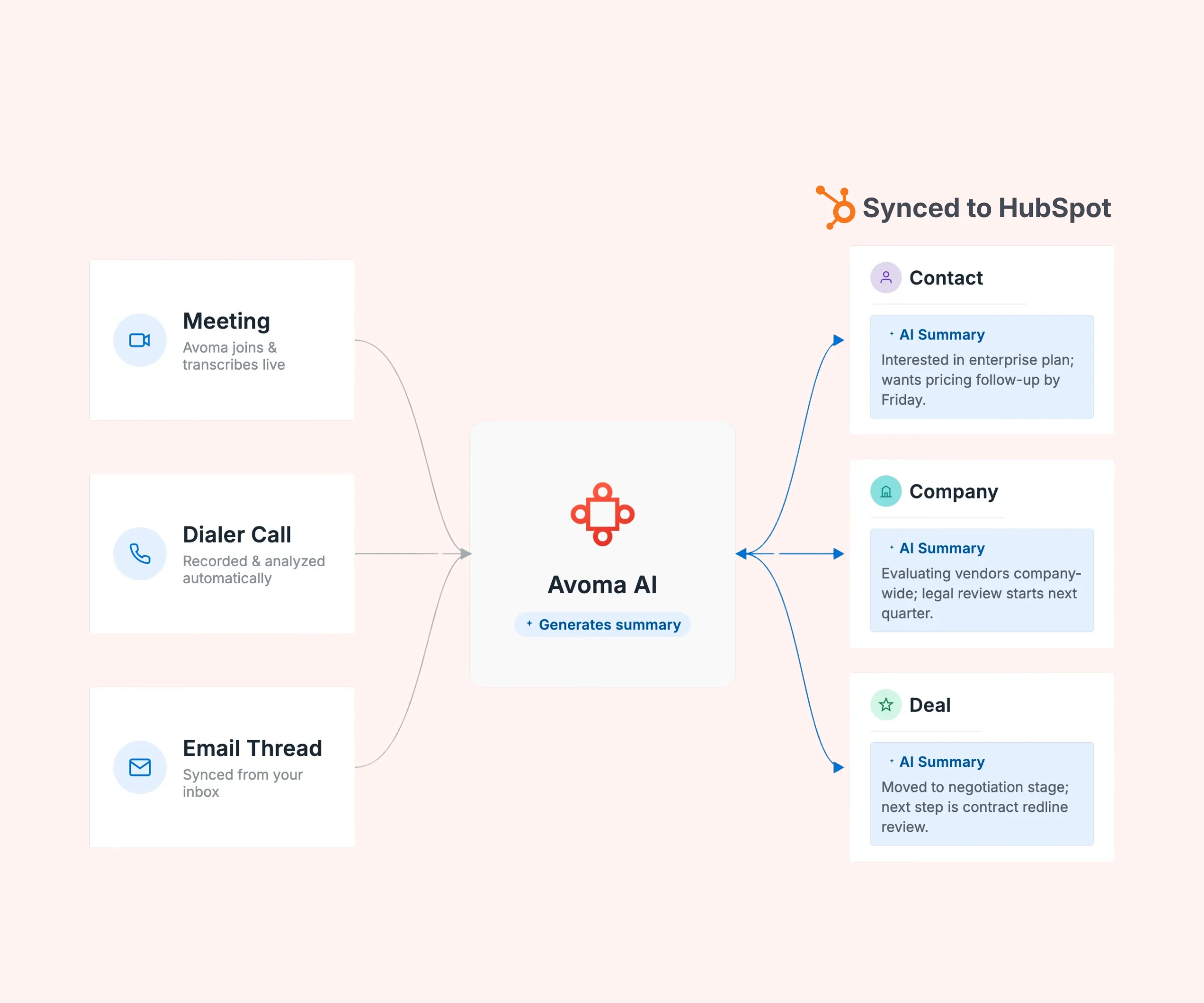
So the path from conversation to CRM gets shorter:
Customer conversation → Avoma captures the context → HubSpot gets updated
Reps spend less time filling in HubSpot after calls, and managers have more of the customer context they need in the CRM.
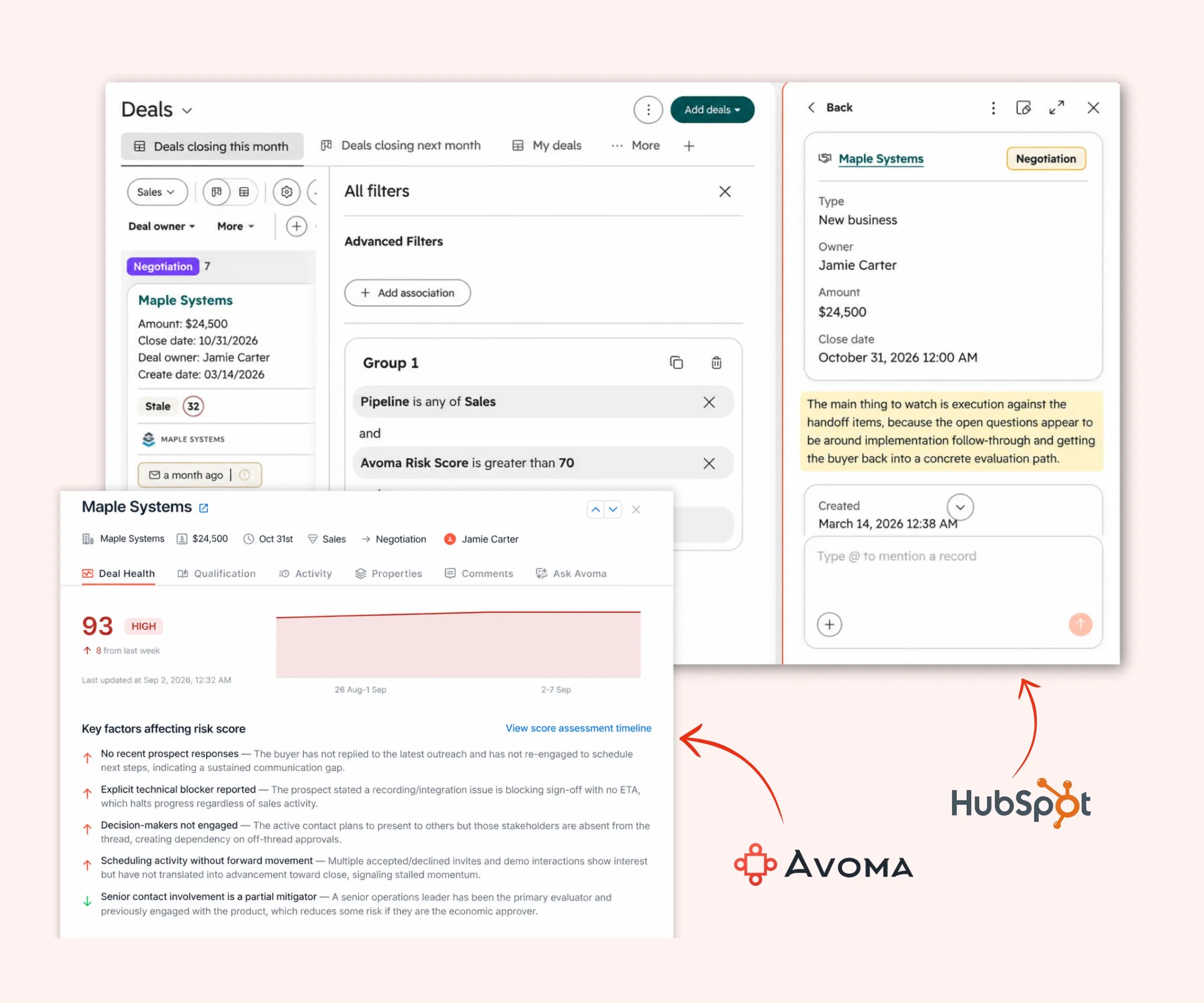
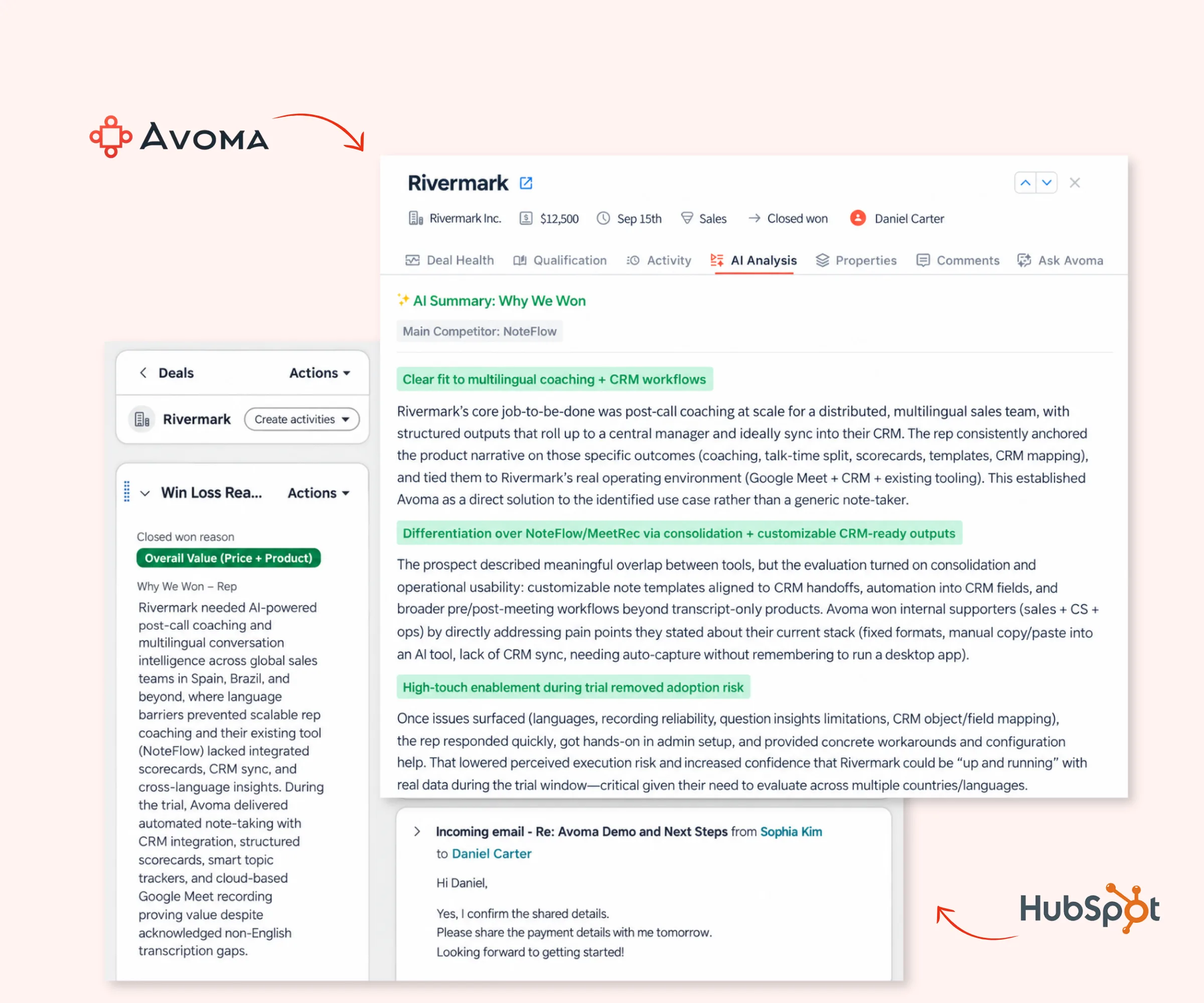
Give managers the conversation context behind the deals they're tracking in HubSpot.
In Avoma, sales leaders can review calls, spot deal risks, see how reps handle customer conversations, and coach from specific moments. They can also save strong calls to playlists for onboarding and training.
Reps have the CRM context around the deal. Managers can go back to the conversations that explain what's happening and why.
Sales teams can keep deal context in HubSpot up to date with meeting and call notes, CRM field updates, deal stage sync, and contacts created from meeting participants.
Customer Success teams can keep meeting notes connected to the right HubSpot records, so customer context carries from one conversation to the next.
Both teams get a shared record of what customers said and the information captured in HubSpot.
Connect your HubSpot account to Avoma, then choose how you want notes, CRM fields, contacts, deal stages, and supported activity to sync.
Avoma captures your meetings and calls and creates AI-generated notes for your team to review.
Based on your setup, Avoma can send notes to HubSpot Notes, Meetings, or existing Call records and sync supported conversation data to mapped CRM fields.
As your team talks to customers, Avoma keeps supported notes and CRM data connected to the HubSpot records your team works from.
Yes. Avoma supports 2-way sync for supported HubSpot CRM properties when the required permissions are available. Deal stage changes made in Avoma sync to HubSpot instantly, while changes made in HubSpot sync back to Avoma every 30 minutes.
Sync behavior depends on the HubSpot object, property mapping, and permissions you've configured.
Avoma supports custom field sync for HubSpot Deals, Contacts, and Companies. You can map supported Avoma properties to HubSpot properties and choose where information captured from customer conversations is stored.
Available fields and sync direction depend on your mappings and access permissions.
Avoma meeting notes can be saved as a HubSpot Note and attached to related CRM records, or written to the Internal Notes field of a HubSpot Meeting.
You can configure where the notes are saved based on how your team tracks customer activity in HubSpot.
Yes. Based on your configuration, Avoma can sync meeting notes and supported conversation data to HubSpot records and mapped CRM properties.
Avoma can also create a HubSpot Meeting for meetings created through calendar sync or as impromptu external meetings, and create Contacts from meeting participants based on admin rules.
Yes. You can map supported Avoma data to custom properties on HubSpot Deals, Contacts, and Companies.
Information captured through Avoma smart categories can also sync to mapped HubSpot properties, including manually edited information sent using the Sync action.
Yes. Supported Gmail and Outlook emails can sync into Avoma and be relayed to HubSpot.
Admins can set exclusion rules to control which emails sync, including rules based on HubSpot company lifecycle stages. You can also set a sync delay to reduce duplicate activity when another integration sends the same email to HubSpot.