
Review account risks
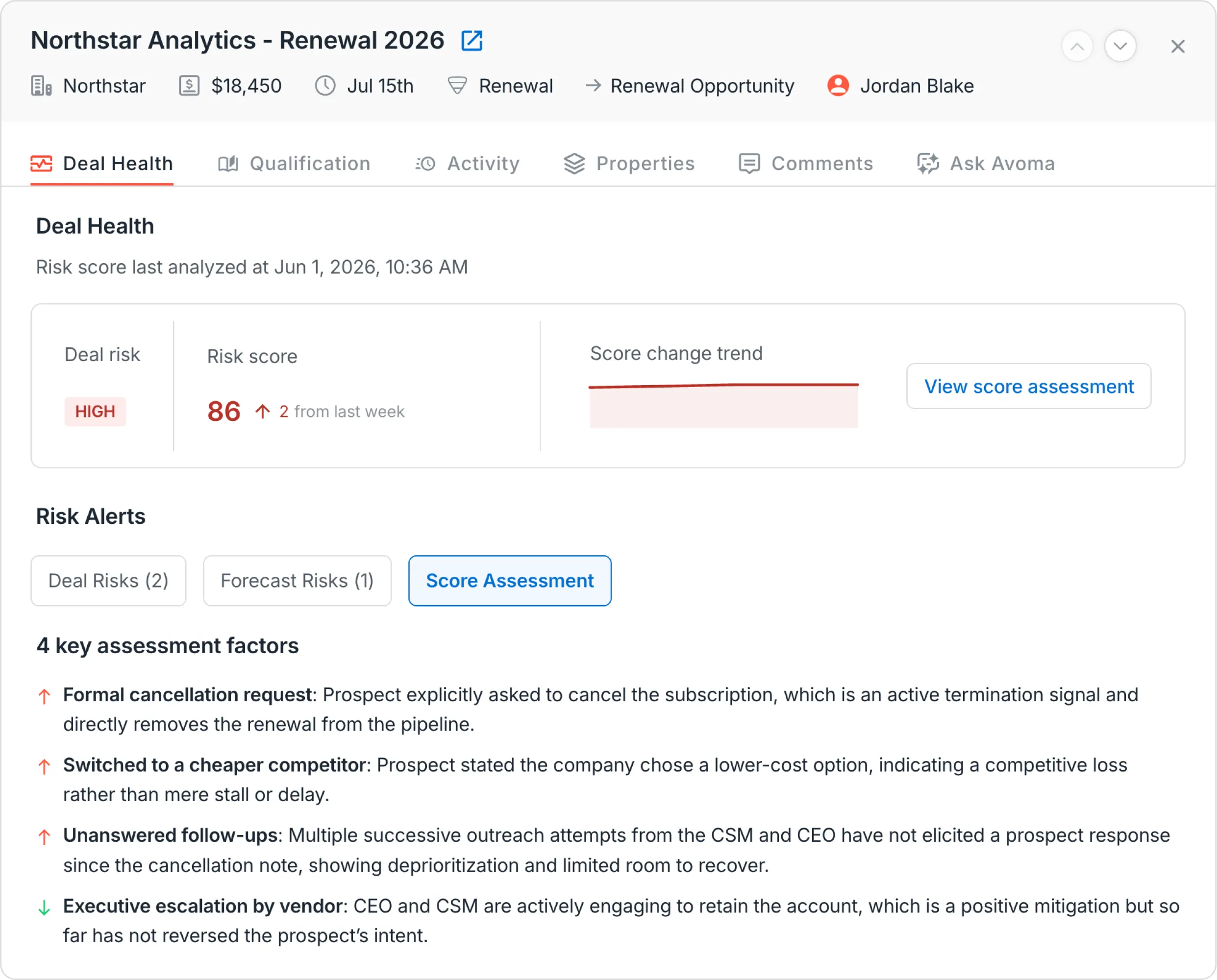
Review each account's health, with risk signals, conversations and recent activity in one view.
Ways to get this done with Avoma
Pick the approach that fits how your team works. You can start with one and add another later.
How this works
Shown for:
- 1Trigger
During account reviews and customer check-ins
- 2Context
Avoma Revenue Intelligence reads available risk assessments, customer conversations, CRM deal records, and engagement activity
- 3Reason
Combine risk indicators, conversations and activity for each account
- 4Act
Show each account's health, what changed and the next step
- 5Human judgment
CS manager decides where to focus
Native feature
Review available risk indicators, customer conversations, and relationship activity to understand concerns that may affect an account or renewal opportunity.
How this works
Shown for:
- 1Trigger
You run the RevOps Intelligence skill in Claude
- 2Context
The RevOps Intelligence skill reads Avoma meetings and scorecards through the Avoma agentic platform, plus your CRM (HubSpot or Salesforce) and Gmail
- 3Reason
Combine risk indicators, conversations and activity for each account
- 4Act
Show each account's health, what changed and the next step, returned in Claude
- 5Human judgment
CS manager decides where to focus
Skill
Use the RevOps Intelligence skill in Claude to show each account's health, what changed and the next step, with recommended next steps.
What good looks like
Health reviews work best when risk and evidence sit side by side.
Review the accounts that changed
A stable account can wait a week.
Read the conversations behind the score
2 accounts with the same score can need different plays.
End each review with a next step
A review without an action is a status report.
Customer stories
What teams say
Avoma lets us identify opportunities for upselling as well as understand churn risks early to avoid danger for our business.
Helping us proactively address client churn risk and identify opportunities for growth. The tool helps us identify and act on the queues much more quickly.
It helps managers identify opportunities and churn risks by looking at a single report instead of having to sit in on additional meetings.
More from this use case
Browse all Revenue Execution


What’s stopping you from turning every conversation into actionable work?


